

TL;DR – Summarise this page with AI
If you’re evaluating business phone systems and sales dialers, you’ve likely come across Kixie PowerCall. While Kixie has built a solid reputation among small business sales teams with its power dialer capabilities and CRM integrations, many growing organizations find themselves needing more – more flexibility, better international coverage, transparent pricing, and round-the-clock support.
Whether you’re scaling outbound sales operations, expanding customer support infrastructure, or seeking deeper integrations with your existing tech stack, this comprehensive guide explores the 12 best Kixie alternatives to help you find the perfect fit for your business needs.
Why Consider a Kixie Alternative?
Before diving into the alternatives, it’s worth understanding where Kixie falls short for certain organizations:
Limited international coverage: Kixie operates in approximately 65 countries, whereas competitors offer coverage in 160+ countries
Restricted support hours: Customer support is only available during U.S. business hours (7 AM – 5 PM PST)
No transparent pricing: Kixie doesn’t publicly display pricing on their website, requiring potential customers to contact sales
Feature add-on costs: Essential features like ConnectionBoost, Conversation Intelligence, and compliance tools require additional monthly fees
Mobile app concerns: Users report the mobile app was last updated in August 2023, with ongoing bugs and interface issues
Contract rigidity: Many users report being locked into 6-month or annual contracts with limited flexibility
Let’s explore the top alternatives that address these limitations while delivering powerful calling and communication capabilities.

NUACOM – Best All-in-One Kixie Alternative
Overview
NUACOM is the leading Kixie alternative, offering a modern cloud-based business phone system and call center software designed to enhance growth across sales and support teams. Serving over 25,000 businesses globally, NUACOM delivers crystal-clear call quality, intuitive design, and powerful AI-driven insights that enable teams to scale smarter and communicate better.
What sets NUACOM apart is its commitment to simplicity without sacrificing functionality. The platform is built for ease of use – teams can master the system from day one while accessing enterprise-grade features typically reserved for larger organizations.
Key Features
Call routing and multi-level IVR with auto-attendant and voice menu
CRM and helpdesk integrations (HubSpot, Salesforce, Zoho CRM, Pipedrive, Zendesk, Intercom, and more)
AI conversational insights including call summaries, transcriptions, sentiment analysis, and action items
Voicemail-to-email conversion for convenient message management
Live call wallboard for real-time monitoring
Call coaching capabilities including listening, whispering, and barging
Desktop and mobile apps with Google Chrome extension
Click-to-call functionality and automated caller ID
Call recording with up to 10-year retention options
2-way SMS and bulk outbound SMS capabilities
Advanced analytics with KPIs, call tracking, and performance reports
Pricing
Unlimited Plan: $19/user/month – Includes call recording, call notes, call tags, auto-attendant, voice menu, and unlimited landline calls
Enterprise Plan: $25/user/month – Adds live call wallboard, call coaching (listening, whispering, barging), advanced integrations (Salesforce, Zapier), and queue position announcements
NUACOM AI Add-on: $9/user/month – Unlocks AI call summaries, transcriptions, sentiment analysis, key point recognition, and action items
Custom Plans: Available for large contact center solutions or tailored business requirements
NUACOM offers flexible 30-day rolling contracts or discounted annual plans with the ability to switch plans, add or remove users, and upgrade or downgrade at any time.

Aircall
Overview
Aircall is an advanced cloud-based calling solution used by over 15,000 clients worldwide. Designed to accelerate sales processes and improve customer communication, Aircall excels in automation capabilities and offers a robust set of integrations including Intercom, Pipedrive, and Zapier.
Key Features
Automatic call distribution based on skill set and availability
Call monitoring and transfer capabilities
Call recording for training and compliance
Call routing with customizable rules
IVR and call queuing
Power dialer functionality (Professional plan)
Click-to-dial and SMS capabilities
Salesforce integration on higher tiers
Over 50 integrations and API access
Pricing
Essentials: $30/user/month (billed annually) – Includes IVR, call recording, basic integrations (3-user minimum)
Professional: $50/user/month (billed annually) – Adds power dialer, Salesforce integration, voicemail drop, advanced analytics (3-user minimum)
Custom: Quote-based – Requires 25 licenses, includes API support, unlimited international calling
Note: Aircall lacks built-in video calling and screen-sharing capabilities, and AI features require from an additional $9/user/month add-on to $49/user/month.

Quo (formerly OpenPhone)
Overview
Quo is a modern business phone system designed primarily for startups and small businesses seeking straightforward calling, texting, and shared phone number capabilities. The platform emphasizes quick setup, an intuitive interface, and includes a Sona AI agent for automated call handling.
Key Features
Unlimited calling and messaging within the US and Canada
Shared phone numbers for team collaboration
Voicemail-to-text transcription
AI-powered SMS auto-replies and scheduled messages
Contact notes and internal team threads
CRM integrations (HubSpot, Salesforce on higher tiers)
Group calling and call transfers
Free number porting
Pricing
Starter: $15/user/month (billed annually) – One local or toll-free number, shared phone numbers, basic integrations
Business: $23/user/month (billed annually) – Adds automatic call recording, AI call summaries and transcripts, CRM integrations
Scale: $35/user/month (billed annually) – Adds AI call tags, dedicated onboarding, priority support
Additional phone numbers cost $5/month each, and international calling is billed per minute.

RingCentral
Overview
RingCentral is a business telephony classic with over 20 years in the market, recognized for its all-in-one voice, video, and messaging capabilities built on mature infrastructure. It serves enterprises wanting a unified communication system and supports an extensive portfolio of hardware and software integrations.
Key Features
Unified system for voice, video, fax, and messaging
Multi-level auto-attendants and call queues
Team messaging and collaboration tools
300+ integrations and robust app ecosystem
SIP trunking and IVR capabilities
Call recording and contact management
HD-quality voice and video conferencing
Advanced analytics and audit logs
Customizable user roles and call flows
AI-powered meeting transcripts and summaries
Pricing
Core: $20/user/month (billed annually) – Unlimited domestic calling, 25 SMS per user, 100 toll-free minutes, AI video meetings up to 200 participants
Advanced: $25/user/month (billed annually) – Adds auto call recording, AI assistant, multi-site support, CRM integrations
Ultra: $35/user/month (billed annually) – Advanced analytics, 12 months reporting history, All AI assistant features
Note: Features like native sentiment analytics, speech-to-text transcription, and smart dialers are only available in the Contact Center solution at additional cost.

CloudTalk
Overview
CloudTalk is a cloud-based VoIP software trusted by over 4,000 businesses worldwide, including Glovo, Mercedes-Benz, and Revolut. It offers AI-powered features, customizable call flows, and real-time analytics while providing local numbers in 160+ countries – significantly more international coverage than Kixie’s 65 countries.
Key Features
Multi-level Interactive Voice Response (IVR) for efficient call routing
AI Voice Agent that qualifies leads, confirms meetings, and sends reminders (supports 60+ languages)
Advanced analytics and real-time performance tracking
Smart routing and customizable call queues
AI-powered automatic transcription, sentiment analysis, and smart notes
Global SMS and MMS capabilities
Power, smart, and parallel dialer modes
Visual drag-and-drop call flow designer
100+ integrations including major CRMs
99.999% uptime guarantee
Pricing
Starter: $25/user/month – Core calling features and integrations
Essential: $29/user/month – Adds advanced analytics
Expert: $49/user/month – Full feature set including parallel dialers
Custom: Quote-based for enterprise needs
CloudTalk offers 24/7 global live support via phone, email, and chat across all plans.

JustCall
Overview
JustCall is a cloud phone system providing businesses with a seamless calling experience, founded in 2016 and now serving over 6,000 customers globally. It’s designed for both sales and customer service teams who need advanced calling and texting capabilities with strong CRM integration.
Key Features
Automatic call distribution based on skill set and availability
Call recording for all incoming and outgoing calls
Call masking to protect agent privacy with business numbers
International phone numbers in 95+ countries
Conference calls supporting up to 50 participants
AI-powered call transcription and summaries
Power dialer functionality
Bulk SMS campaigns and workflows
Live call monitoring
100+ CRM and helpdesk integrations (HubSpot, Zendesk, Freshdesk)
Dedicated mobile apps for iOS and Android
Pricing
Team: $29/user/month (billed annually) – Adds AI transcription, team analytics, 100+ integrations
Pro: $49/user/month (billed annually) – Adds power dialer, bulk SMS, Salesforce integration
Business: Custom pricing – Requires 10+ users, unlimited features, custom integrations
Note: Advanced features like auto-attendant, call tagging, and skill-based routing are limited on lower tiers.

Nextiva
Overview
Nextiva is a major player in the VoIP market, providing services to more than 15,000 customers including major brands. Widely regarded as user-friendly with a simple and intuitive setup process, Nextiva offers HIPAA-compliant virtual faxing making it particularly suitable for healthcare organizations.
Key Features
Unlimited calling within the US and Canada
Video conference recording
Mobile and desktop apps
Workflow optimization tools
Omnichannel communications
Voicemail with AI transcriptions
Conference calling and multi-level attendant
24/7 customer support
Microsoft Teams integration
Call routing and digital fax
99.999% uptime guarantee
Pricing
Core: $15/user/month (billed annually) – 100 SMS per user, unlimited voice calls, voicemail with AI transcription, video meetings
Engage: $25/user/month (billed annually) – 500 SMS per user, 2000 toll-free minutes, video recording, voice analytics
Power Suite CX: $75/user/month – Advanced integrations, up to 5 call routings, real-time reporting
Note: Some integrations like Slack and Zapier are not available, and pricing may be considered high for small businesses.

Dialpad
Overview
Dialpad delivers a unified communications platform backed by powerful built-in AI that provides dozens of features beyond a standard phone system. It can be used from anywhere, on any device – mobile app, desktop app, or web browser – making it ideal for today’s hybrid workforce.
Key Features
Real-time call transcriptions with high accuracy
Sentiment analysis during live calls
Post-call summaries with action items and keywords
Custom caller IDs and multiple number support
Easy call routing with skill-based options
Click-to-call and instant SMS messaging
Free video conferencing with screen sharing
Speech analytics and call tracking
Contact center capabilities for support and sales teams
Mobile and desktop apps with browser access
Integrations with Google Workspace, Microsoft 365, and dozens more
Pricing
Standard: $15/user/month – Core calling features, basic integrations, 24/7 chat and web support
Pro: $25/user/month – Adds CRM integrations, advanced features
Enterprise: Custom pricing – Full analytics, custom integrations, dedicated support
Dialpad stands out by including real-time speech coaching on all plans, whereas Kixie restricts this to higher-tier plans starting at $95/month.

Five9
Overview
Five9 is a cloud-based contact center solution offering a comprehensive range of features for customer service and sales teams. It’s designed for mid-sized to large enterprises that need an all-in-one solution with omnichannel support, workforce optimization, and robust analytics.
Key Features
Omnichannel support (voice, chat, email, SMS/MMS, social messaging)
Workforce optimization for improved agent productivity
Robust reporting and analytics capabilities
Blended inbound/outbound calling
Automatic dialer functionality
Agent desktop with unified customer view
Geo redundancy for reliability
Call recording and workflow automation
24/7 customer support
CRM integrations including Salesforce
Quality management tools
Pricing
Digital: $119/user/month – Chat, email, SMS/MMS, social messaging channels
Core: $159/user/month – Voice-only with AI summaries and crm
Plus: Contact sales for price – Adds AI Agent Assist
Pro: Contact sales for price – Workforce management
Enterprise: Contact sales for price – Advanced workflow automation, interaction analytics, omnichannel engagement
Note: Five9’s pricing is higher than most alternatives and may include additional costs for AI features and workforce tools. Some plans require a 50-user minimum.

Ooma
Overview
Ooma is an ideal solution for smaller companies with up to 500 employees or home office setups. Known for its simple setup process requiring no technical expertise, Ooma offers a feature-rich mobile app and a virtual receptionist for managing business calls professionally.
Key Features
Virtual receptionist with customizable greetings and call routing
Voicemail-to-email forwarding
Caller ID and video conferencing
Desktop and mobile apps (iOS and Android)
Call forwarding during device outages
Ring groups and conference bridges
Call flip between devices
Free number porting
Overhead paging support
Enhanced call blocking (Pro plan)
CRM integration and hot desking (Pro Plus plan)
Pricing
Essentials: $19.95/user/month – Unlimited calling (US, Canada, Mexico, Puerto Rico), virtual receptionist, basic voicemail, call forwarding
Pro: $24.95/user/month – Adds call recording, voicemail transcription, desktop app, video conferencing (25 participants)
Pro Plus: $29.95/user/month – Adds CRM integrations, hot desking, call queues, video conferencing (100 participants)
Note: Ooma lacks predictive dialers and telemarketing management features, and there’s no in-person training available during setup.

8×8
Overview
8×8 is a cloud-based communication platform delivering unified voice, video, chat, and contact center solutions. Designed with technical flexibility in mind, it integrates seamlessly with CRMs, helpdesk tools, and productivity suites while offering enterprise-grade security and compliance including GDPR and HIPAA.
Key Features
Unified communications: voice, video, messaging, and team collaboration
International calling to 14-48 countries (depending on plan)
Video meetings supporting up to 500 participants
Team messaging and file sharing
Call recording storage (up to 30 days on X2)
Business SMS capabilities
CRM integrations (Salesforce, Microsoft Dynamics, HubSpot)
Advanced analytics and call monitoring (X4 plan)
Supervisor console and wallboards
Microsoft Teams integration
Extensive API support for custom workflows
Pricing
Note: Plan details and exact pricing require contacting their sales team as they’re not fully displayed online.
CallFire
Overview
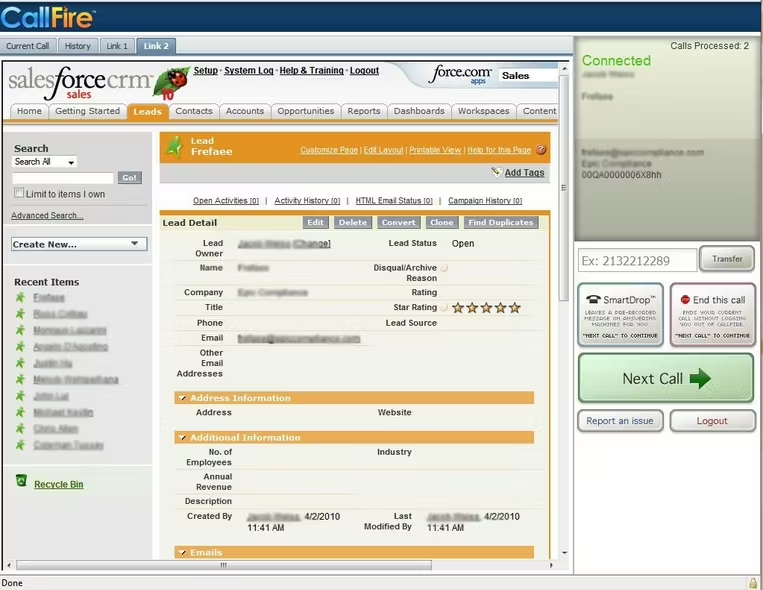
CallFire is one of the oldest call center software providers, founded in 2004. Unlike most alternatives that charge per user, CallFire uses a plan-based pricing model with included minutes and texts. It’s particularly well-suited for businesses that rely heavily on voice broadcasting, IVR systems, and outbound campaign management.
Key Features
Auto dialer and power dialing capabilities
Call tracking and call routing
IVR (Interactive Voice Response) system
Call recording for inbound calls
SMS broadcast and voice broadcast
Call transfer and call monitoring
Call reporting and real-time analytics
Lead management and campaign management
Call scripting and voicemail drop
DNC (Do Not Call) compliance
Custom caller ID
API integration and CRM connectivity
Pricing
Pay as You Go: $0.06/minute – $10 phone numbers, $25 keywords
Lite: $99/month – 2,500 minutes/texts, $2.50 phone numbers, $20 keywords
Startup: $199/month – 5,500 minutes/texts, $2.25 phone numbers, $15 keywords
Growth: $299/month – 10,000 minutes/texts, $2.00 phone numbers, $13 keywords
Pro: $599/month – 20,000 minutes/texts, $1.75 phone numbers, $10 keywords
All plans include unlimited contacts, text-to-speech support, free inbound call recording, simple DNC list setup, and real-time reporting.

What Customers Are Saying About Kixie: Pros and Cons
Understanding real user experiences can help you make an informed decision. Here’s what customers report about Kixie based on reviews from G2, Capterra, and Trustpilot:
Kixie Pros
Power Dialer Efficiency: Users consistently praise Kixie’s multi-line PowerDialer that can dial up to 10 leads simultaneously, significantly increasing the number of live connections per day. The feature is described as a “game changer” for high-volume sales teams.
ConnectionBoost Local Presence: The ConnectionBoost feature cycles through local numbers matching the prospect’s area code, reportedly improving pickup rates by up to 500%. Users appreciate that return calls still route back to the original agent.
CRM Integration: Kixie receives strong marks for its bi-directional CRM integration with platforms like HubSpot and Salesforce, automatically logging calls and syncing contact data.
Voicemail Drop: The one-click voicemail drop feature saves significant time for agents who would otherwise spend hours manually leaving voicemails.
Ease of Use: Many reviewers note that Kixie is “easy to set up” and “intuitive to use” with a lightweight Chrome extension that transforms phone numbers into clickable calls.
Customer Support (When Available): Some users report positive experiences with Kixie’s support team, particularly highlighting helpful onboarding and quick responses to technical issues.
Kixie Cons
Call Quality Issues: Multiple users report audio problems including calls with no sound, robotic audio on both ends, and the dialer disrupting other audio on their computers. One reviewer stated: “Out of the dozens of dialers I’ve used in my life, this one is definitely the worst” regarding call quality.
Spam Flagging Problems: Users report that 80% of calls across 30+ area codes get flagged as spam. Dedicated numbers reportedly get tagged within a week, even with throttling and carrier registration.
Rigid Contract Terms: Kixie requires 6-month upfront payments or year-long contracts. Many users express frustration at being unable to exit contracts even when the product doesn’t meet expectations. One user noted: “They refused to let me out of my contract when they lied about what was included.”
Number Porting Difficulties: Several reviews mention problems when leaving Kixie, with one user stating the company “completely botched the porting of our numbers and cancelled us earlier than the contract states,” leaving their business without phone service for multiple days.
Support Availability: Support is limited to U.S. business hours only, and users report that reaching anyone can be challenging. Some note that after signing up, their sales representative “completely ghosted” them.
Hidden Costs: Essential features like ConnectionBoost, Conversation Intelligence, and compliance tools come at additional cost beyond base pricing, which isn’t publicly displayed.
Outdated Mobile App: The mobile app was reportedly last updated in August 2023, with users experiencing bugs and crashes.
Review sources: G2 (4.8/5 rating with 862 reviews), Capterra 4.6, Trustpilot 3.8

Questions to Ask Before Switching From Kixie
Making the transition from one phone system to another requires careful planning. Before committing to a new provider, consider these essential questions:
About Your Current Needs
What are your team’s daily call volumes? Understanding whether you need unlimited calling, minute-based plans, or pay-as-you-go pricing will help narrow your options.
Do you require international calling? If you serve customers globally, verify the new provider covers all necessary countries. Kixie covers 65 countries.
Which CRM integrations are essential? Ensure your current CRM (HubSpot, Salesforce, Zoho, etc.) integrates seamlessly with the new platform without additional fees.
How important are AI-powered features? Real-time transcription, sentiment analysis, and call summaries vary significantly between providers – some include them, others charge extra.
About the New Provider
Is pricing transparent, and are there hidden fees? Ask specifically about costs for additional phone numbers, international calling, AI features, advanced integrations, and overage charges.
What are the contract terms? Look for providers offering monthly billing or flexible contracts rather than requiring 6-month or annual commitments.
What support is available, and when? Determine whether you need 24/7 support or if business-hours coverage suffices for your team’s working patterns.
How does the number porting process work? Request details about porting timelines, costs, and guarantees to avoid service disruptions during the transition.
Technical Considerations
Is your network infrastructure ready for VoIP? Assess your internet bandwidth and consider whether you need Quality of Service (QoS) configuration to prioritize voice traffic.
What devices will your team use? Verify compatibility with desktop apps, mobile apps, browser-based calling, and IP phones based on your team’s needs.
What training and onboarding is provided? Evaluate whether the new provider offers live training, video tutorials, documentation, or dedicated onboarding support.
What happens to your data if you leave? Understand data export options for call recordings, contact lists, and analytics before switching.
Kixie Pricing: What You Need to Know
One of the most significant challenges when evaluating Kixie is understanding its actual costs. Unlike most competitors, Kixie does not publicly display pricing on their website – potential customers must contact sales to receive quotes.
Based on available information and industry research, here’s what we know about Kixie’s pricing structure:
Base Plans
Professional Plan: Estimated at approximately $35/user/month – Includes business phone service, CRM integration, automations, click-to-call/text, SMS templates, voicemail drop, live call coaching, and unlimited minutes for US/Canada calling.
Single-Line PowerDialer: Pricing not publicly disclosed – Adds single-line automated dialing and calling session management to Professional features.
Multi-Line PowerDialer: Pricing not publicly disclosed – Adds ability to dial up to 10 lines simultaneously, calling session management, and AI Human Voice Detection (for additional $30/month).
Additional Costs to Consider
ConnectionBoost: Premium add-on (pricing not disclosed) – Improves connection rates by cycling through local numbers and reducing spam flagging.
Conversation Intelligence: Premium add-on (pricing not disclosed) – AI-powered call analysis, real-time coaching, and automated CRM updates.
DNC Compliance Tools: Compliance add-on (pricing not disclosed) – Automated Do Not Call list checking and TCPA compliance features.
International Calling: While US and Canada calls are included, international calls are billed per minute at varying rates by country.
Important Considerations
Kixie typically requires 6-month or annual contracts with upfront payment
A 7-day free trial is available (shorter than many competitors’ 14-day trials)
Exact pricing varies based on team size and negotiation
Users report that total costs often exceed expectations once add-ons are included
For the most accurate pricing, contact Kixie’s sales team directly – but be prepared to negotiate and ask detailed questions about what’s included versus what requires additional fees.
Making Your Decision
Choosing the right Kixie alternative depends on your specific business requirements:
For the best overall alternative with transparent pricing and comprehensive features: NUACOM offers enterprise-grade capabilities at accessible price points with flexible contracts and excellent customer support.


Final Word
NUACOM is the best overall best alternative – combining transparent pricing, unlimited calling, advanced AI features, 100+ integrations, and 24/7 responsive support at competitive rates.
By choosing NUACOM, you’re not just selecting a VoIP provider; you’re partnering with a company committed to helping you achieve seamless and effective communication.
FAQ
NUACOM is the best alternative to Kixie for businesses seeking a reliable, feature-rich VoIP solution . It offers transparent pricing, AI-powered call analytics, comprehensive CRM integrations with platforms like HubSpot, Salesforce, and Pipedrive, plus advanced features like live call coaching and whisper functionality. NUACOM provides 24/7 customer support and flexible contracts, making it easier for businesses to scale.
Kixie does not publicly display its pricing, requiring potential customers to contact sales for quotes, which makes budget planning difficult. Based on available information, plans are estimated to start around $35 per user per month, with additional costs for features like AI Human Detection ($30/month extra) and the Multi-Line PowerDialer. NUACOM offers a better value proposition with transparent pricing starting at $19 per user per month for its Unlimited plan, which includes features that Kixie charges extra for, such as call recording, analytics, and CRM integrations.
Common reasons include lack of transparent pricing, limited global coverage (only 65 countries), customer support restricted to US business hours, and reported issues with call quality and spam flagging. Many users also cite rigid contract terms with six-month minimums and difficulties with number porting when trying to leave the platform.
Essential features to prioritize include a power dialer or auto-dialer for sales efficiency, seamless CRM integrations, call recording and analytics, IVR and call routing capabilities, and reliable mobile apps. You should also consider international coverage, AI-powered features like transcription and sentiment analysis, and responsive customer support availability.
Most reputable VoIP providers, including NUACOM, support number porting to transfer your existing business numbers.
A power dialer automatically calls through a list of contacts sequentially, connecting sales reps only when a live person answers, which dramatically increases productivity by eliminating manual dialing and wait times. This feature can help sales teams make significantly more calls per day compared to manual dialing methods.
Implementation time varies by provider and complexity, but most cloud-based solutions like NUACOM can be set up within a few hours to a couple of weeks. The process typically involves account configuration, number porting (which can take 1-2 weeks), CRM integration setup, and user training.
Yes, most leading alternatives offer robust CRM integrations. NUACOM integrates with HubSpot, Salesforce, Zoho, Pipedrive, Zendesk, GoHighLevel and more.
Cloud-based systems like NUACOM, are hosted remotely and accessed via the internet, requiring no physical hardware beyond phones or headsets, with updates and maintenance handled by the provider. On-premise systems require significant upfront investment in hardware and ongoing IT maintenance, making cloud solutions more flexible, scalable, and cost-effective for most modern businesses.
AI capabilities are becoming increasingly valuable for sales and support teams, offering features like transcription, sentiment analysis, automated call summaries, and intelligent call routing. Providers like NUACOM, incorporate AI to help teams gain insights from conversations, coach representatives in real-time, and automate routine tasks to improve overall efficiency.
Correct as of January 2026


